Back to the route Next stop: YRT Self-Serve Portal
Lost and Found: A Narrative Game
A 3D narrative puzzle game in Unity, prototyped in 12 weeks with generative AI speeding up development and the concept pitch.
- Role
- Context
- Master of Digital Media · Game Design
- Timeline
- 12 weeks
- Built with
TL;DR
I took a Game Design course in my graduate studies that focused on using AI to develop a game concept, rapid-prototype a working demo, and then pitch it well enough to garner interest and funding from investors. As a non-developer, I took my professor’s “AI can do anything!” as a challenge: build a 3D game in Unity with no coding knowledge. Seeing what AI can do, I leveraged its capabilities to realize a game concept I’ve dreamed of creating (but never thought possible) and directed AI through the code and the pitch, while keeping the storytelling and decisions my own.
- 12 weeksConcept to prototypeFrom first idea to a working demo
- 4 videosDev seriesHow AI fit in, from pitch to prototype
- A+Final gradeProud face.
The Concept
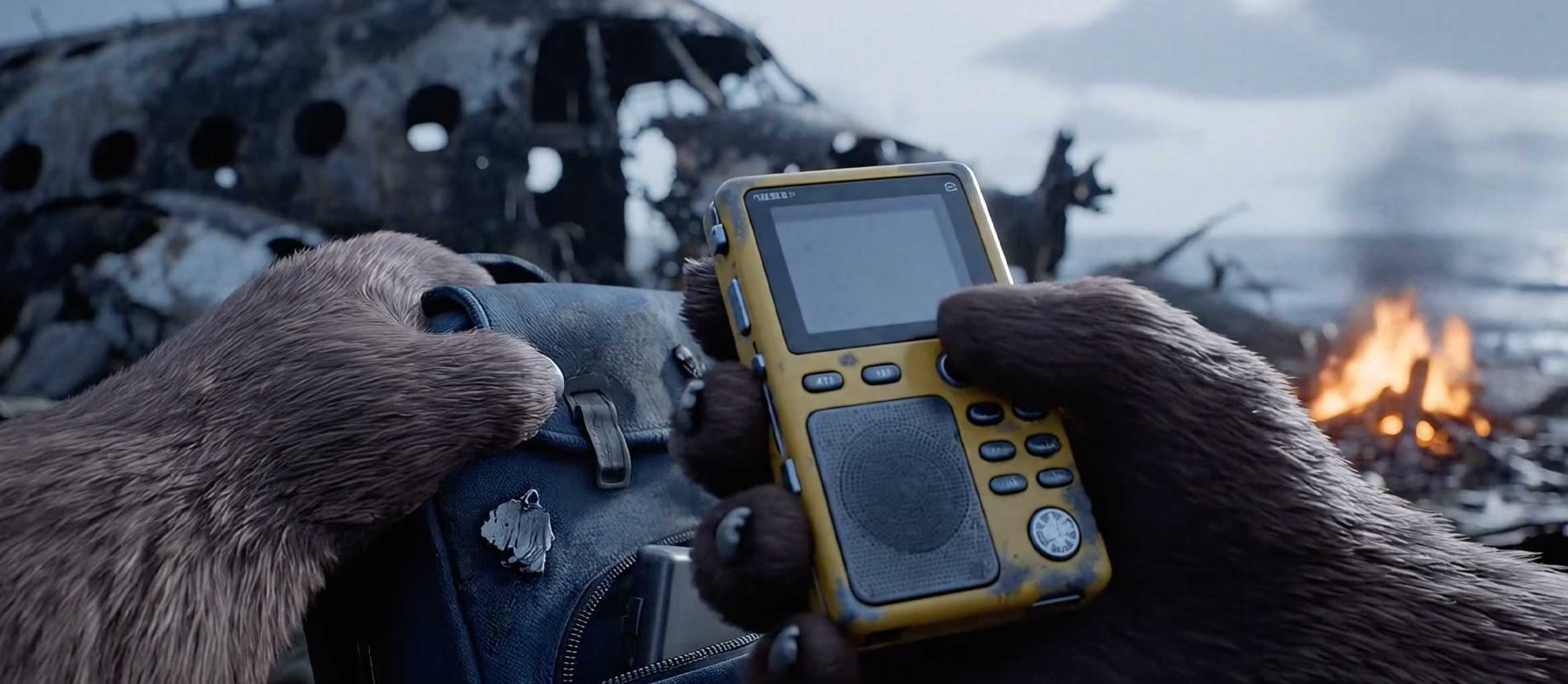
In this interactive narrative puzzle game set in the 1990s, you play as Barry, who is travelling with his colleagues on a work trip and becomes the sole survivor of a plane crash on a remote island. To be rescued and win the game, you have to build a radio from the wreckage and your colleagues’ belongings. Along the way, you uncover untold stories through examining their belongings (journals, photos and personal items), revealing who they really were: people you knew professionally, but never personally.
The radio ends the game, so you as the player must decide: head straight for rescue (saving resources), or take the time to find everyone’s final words and wishes. That tension between the goal and the story is the point. All characters are portrayed by animals (non-human representations) to avoid any stereotypes and let the themes of empathy and the stories we leave behind come through.
 Watch on YouTube: The concept pitch, with video and music generated by Google Veo 3 and Lyria 2 (opens a new tab)
Collaborating with AI
1. Where AI sped things up
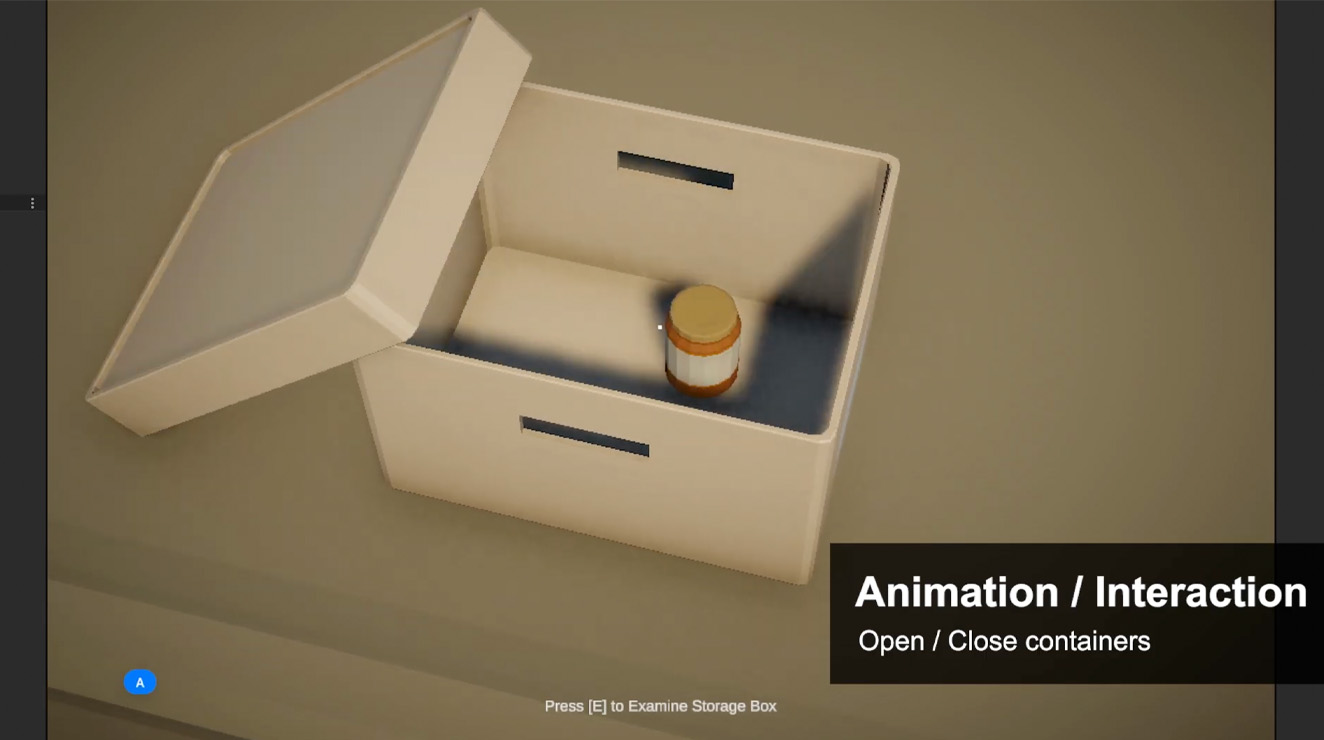
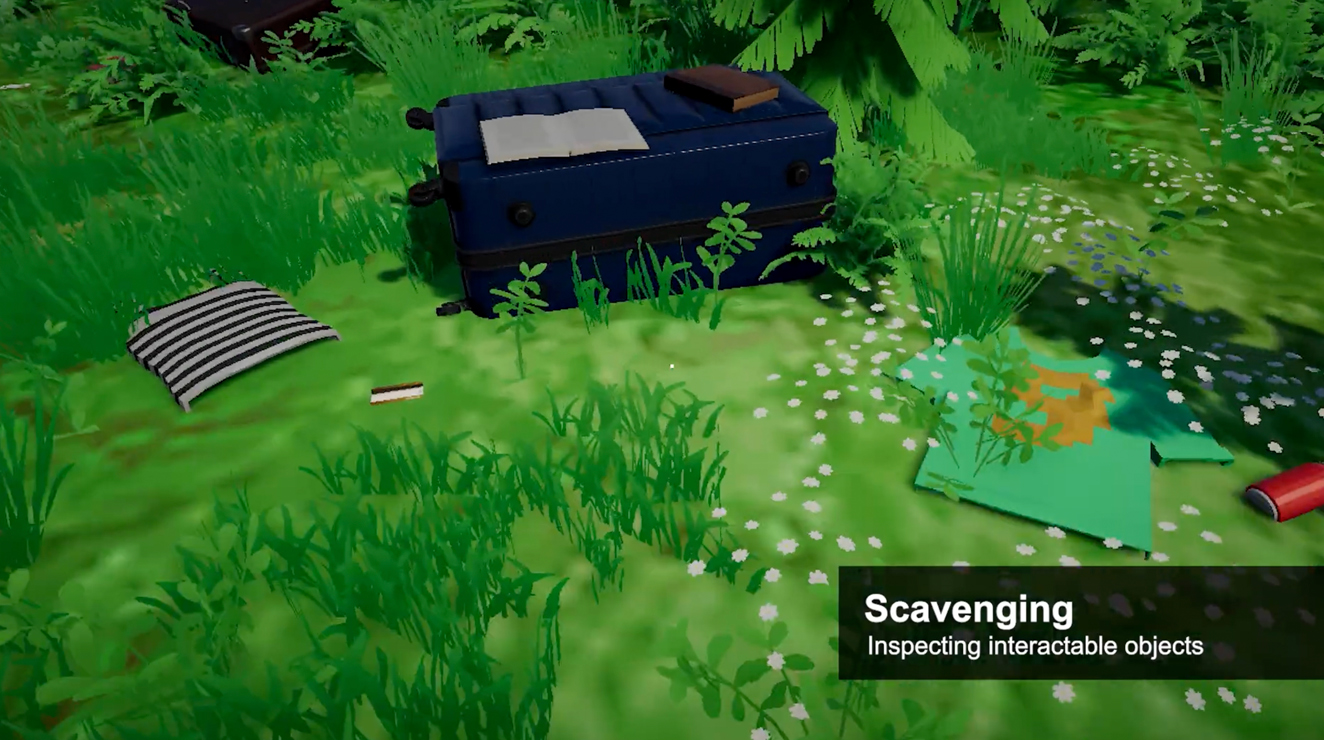
I used Gemini to help develop a detailed game specification document so AI had clear instructions to build the main structure of the game in Unity. I then used Cursor inside Unity as a development partner, describing each interaction I wanted, then refining the code with it until it worked. That’s how a non-developer such as myself got first-person exploring, interaction with items in a 360° inspect view for hidden clues, and readable journals with page-flip animation within a 12-week timeframe. For the initial pitch, I used Google Veo 3 and Lyria 2 to generate the concept video and music to pique interest before it was built.
2. Where it fell short
Even if AI can do almost anything, it doesn’t replace knowing the tool. I started with basic Unity tutorials, because connecting scenes, importing 3D assets properly and debugging what broke each time I added a feature all needed a human who understood the engine. I also made scope calls AI couldn’t. For example, when a darkened background for inspecting objects kept fighting me, I settled on a solid one and spent the time on the story instead of getting stuck on fine details in a prototype.
3. How I kept it “human”
The story is mine: its structure, the clues each colleague leaves behind, and the choice between rescue and their final words and wishes. I wrote Barry’s narration and used a voice actor to perform it in order to retain the human emotions behind his lines. Although AI and pre-made 3D assets filled in what a solo designer and non-developer couldn’t achieve in 12 weeks, the decisions on how the game forces the player to question their own empathy stayed with me.
The Process
 Watch on YouTube: Part 1: learning Unity, setting up Cursor, and first-person exploring (opens a new tab)
 Watch on YouTube: Part 2: opening containers, inspecting objects, and readable journals (opens a new tab)
 Watch on YouTube: Part 3: the final prototype, a working demonstration (opens a new tab)
Outcome
- A playable 3D prototype and pitchA working prototype and an investor-ready pitch, both delivered within the 12 weeks.
- A public dev seriesFour videos showing how AI fit into a real creative workflow, from pitch to prototype.
Reflection
This project pushed me to truly collaborate with AI for problem solving and talk through other ways to reach the same outcome. Before that, I had this trust issue with AI where I thought I had to hand-hold it with explicit details in order for it to execute my vision properly. While that is no longer the case, at times I did need to call it out to make sure it was solving the right problem while keeping the overarching goal in sight (sometimes it goes into tunnel vision in solving a specific coding error and forgets about why we’re doing this in the first place).
“Lost and Found” was the project I struggled with most and yet became one of my favourite pieces of work. My professor was right that AI can do anything (…almost), but without the Unity basics I picked up along the way, I can’t imagine how many more tokens it would have cost.